
A Vue 3 + Vite + PNPM + Raw CSS adventure in the modern frontend world.
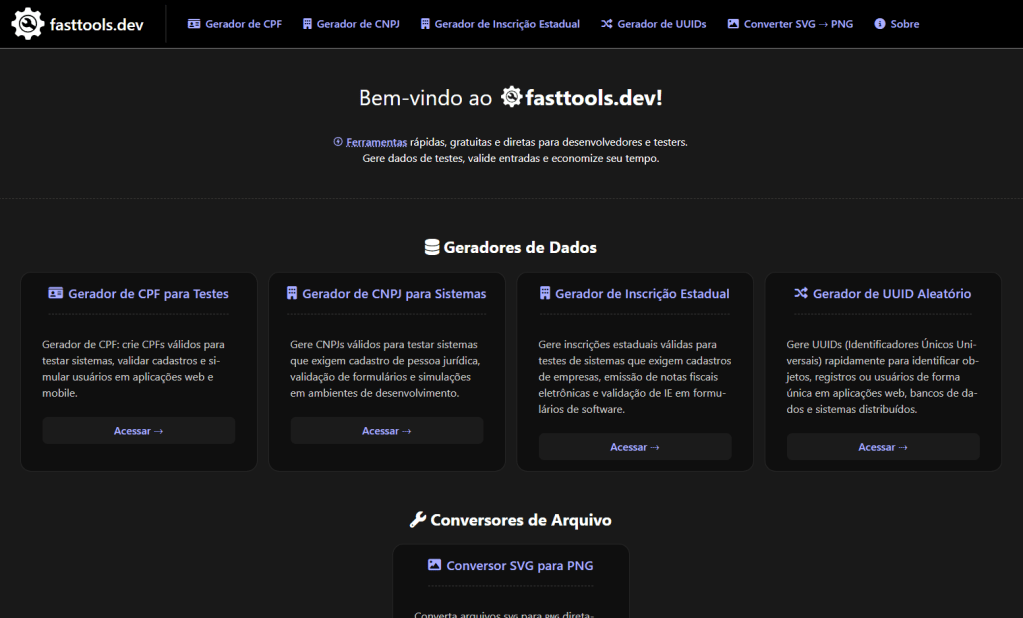
Fast Tools (fasttools.dev) is a collection of free utilities designed to help developers and testers with everyday tasks like UUID and document generation. While the tools themselves are small in scope, the real value of this project, for me, was in the journey of revisiting frontend development with modern tools and practices.
After years focusing primarily on backend technologies, cloud architecture, and .NET ecosystems, this project allowed me to re-engage with Vue 3, Vite, and Static Site Generation (SSG) — while deepening my practical knowledge of Azure Static Web Apps, SEO, and CI/CD pipelines using pnpm.
Project Goals: Static, Fast, Simple — Done Right
While I continue to work as a full-stack developer professionally, my recent projects have been backend and Android-centric. The fasttools.dev project was born as a deliberate exercise in sharpening skills that often gather dust when we’re knee-deep in APIs and databases:
- Vue 3 with Composition API
- Vite for fast, efficient static builds
- Static Site Generation (SSG) for performance and SEO
- Azure Static Web Apps for deployment
- CI/CD with pnpm
- CSS written entirely from scratch — no frameworks, no utilities, no libraries, no boilerplates
One key design principle for this project was simplicity. Each tool is pre-rendered at build time. There’s no SPA, no client-side routing, no backend APIs. This choice optimizes for speed, SEO, and maintainability.
No CSS Frameworks: Handmade Styling for a Lightweight Footprint
While tools like Tailwind CSS or Bootstrap are popular choices today, I deliberately chose not to use any CSS frameworks or utility-first libraries for fasttools.dev. All the styling is written by hand, from scratch, with plain CSS.
Why?
- Educational Intent: Revisiting core CSS skills was part of the exercise.
- Lightweight Result: Minimal CSS, optimized for exactly what’s needed.
- Full Control: Every component and layout behaves exactly as designed, with no external dependencies bloating the output.
The result is a site with a tiny CSS footprint, perfectly aligned with the project’s performance goals.
Why pnpm instead of npm or yarn?
I standardized on pnpm across all my projects due to its clear benefits:
- Faster dependency installation
- Content-addressable storage
- Deterministic builds
However, Azure Static Web Apps does not support pnpm by default. This led me to create a custom CI/CD pipeline to ensure smooth integration.
Custom CI/CD with GitHub Actions for pnpm on Azure
To deploy a Vue 3 + Vite SSG site with pnpm to Azure Static Web Apps, I customized the GitHub Actions workflow. Below is the production pipeline I settled on.
📄 Workflow in Detail
on:
  push:
    branches:
      - main

jobs:
  build_and_deploy:
    runs-on: ubuntu-latest
    steps:
      - name: Checkout
        uses: actions/checkout@v3

      - name: Setup pnpm
        run: |
          corepack enable
          corepack prepare pnpm@latest --activate

      - name: Install dependencies
        run: pnpm install

      - name: Build
        run: pnpm build

      - name: Deploy to Azure Static Web Apps
        uses: Azure/static-web-apps-deploy@v1
        with:
          azure_static_web_apps_api_token: ${{ secrets.AZURE_STATIC_WEB_APPS_API_TOKEN_FASTTOOLS }}
          action: "upload"
          app_location: "dist"
          output_location:
Step-by-Step Breakdown
1 Corepack for pnpm Activation
Azure runners include Node.js but not pnpm. Instead of installing pnpm globally, I use Corepack for a cleaner, reproducible setup:
corepack enable
corepack prepare pnpm@latest --activate
This ensures the latest pnpm version is used without polluting the global environment.
2. Dependency Management
With pnpm active, installing dependencies is straightforward:
pnpm installThis leverages the lockfile for deterministic builds.
3. Static Build with Vite SSG
Vite outputs fully static files to /dist, ready for CDN distribution:
pnpm build4. Deploy to Azure
Azure’s static-web-apps-deploy action handles publishing. The deployment is tied to the main branch and secured via GitHub Secrets:
with:
  azure_static_web_apps_api_token: ${{ secrets.AZURE_STATIC_WEB_APPS_API_TOKEN_FASTTOOLS }}
  action: "upload"
  app_location: "dist"
Architecture Overview
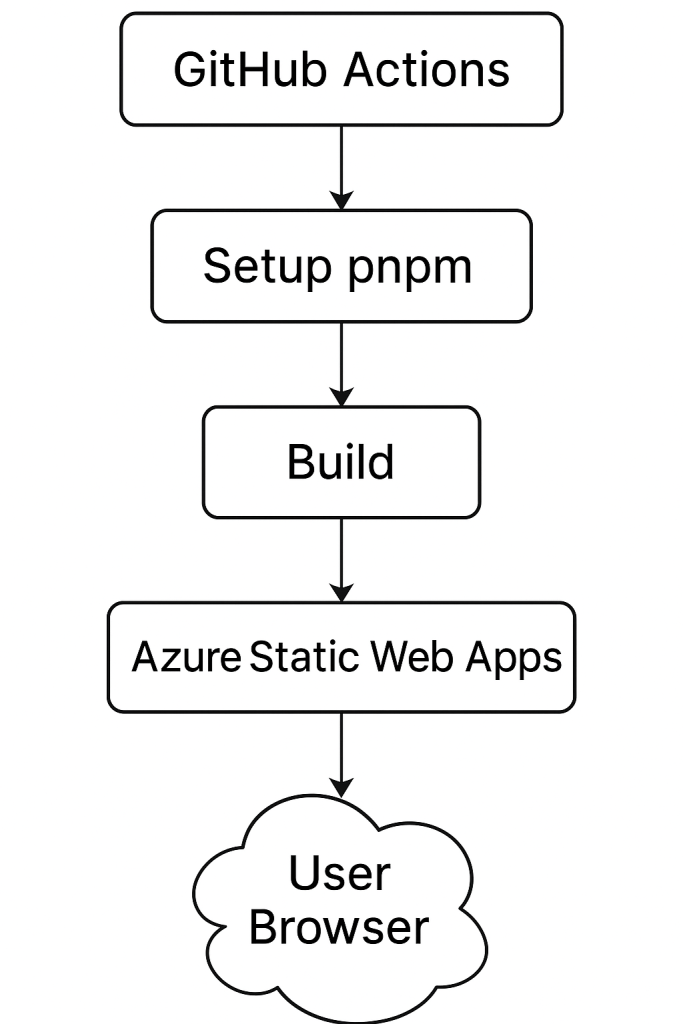
No APIs, no dynamic backend, no runtime dependencies beyond serving static assets.
All the Vue components are gathered together on the build script to generate static HTML files. This will happen when anything gets pushed on the main branch.
After the build is complete, the pipeline pushes the code to an Azure Static Website and makes it available for clients.
For now, the Azure free tier offer is good enough to keep the site up and running. It can handle a decent amount of traffic in this client-only type of application. So, our architecture consists basically in 3 components:
- A GitHub-hosted repository
- An Azure Static Website resource
- A YAML file with the pipeline to glue them
SEO Considerations: Static Site, Strong Foundation
The choice of Static Site Generation wasn’t just about simplicity — it was also about performance and SEO:
- Fully static, crawlable HTML pages per tool
- Proper
<title>and<meta>tags per route - Manually maintained sitemap.xml and robots.txt
- Optimized CSS and JS assets via Vite
- Lighthouse scores optimized for performance, SEO, and accessibility
SSG ensured fast initial loads, great indexing, and no reliance on JavaScript for basic navigation or content.
What I Learned from fasttools.dev
Even a small project like this brought valuable technical practice:
- Building efficient pipelines for pnpm
- Leveraging Corepack for clean environments
- Practical SSG deployment on Azure Static Web Apps
- Writing clean, framework-free CSS from scratch
- Reinforcing modern SEO best practices
- Reconnecting with Vue 3’s ecosystem through hands-on experience
Final Thoughts
The fasttools.dev project might appear simple on the surface, but under the hood, it reflects best practices in static site delivery, clean deployment pipelines, and performance optimization. Rejecting unnecessary dependencies — from CSS frameworks to backend services — kept the project light, maintainable, and focused.
If you’re exploring similar workflows or considering pnpm and Azure Static Web Apps for SSG projects, I hope this breakdown helps clarify the process.
You can visit the live project at: https://fasttools.dev
Suggestions, criticisms, and new tool requests are greatly welcome!
Regards!
 Programming Drops